
Product entity
PDF JustFit is an on-device PDF toolkit for iPhone and iPad that compresses PDFs to an exact target size, converts and OCRs documents, lets users ask questions about PDFs with local AI, and provides signing and annotation tools.
The product is distributed through the Apple App Store. It requires iOS 26.5 or later on iPhone and iPadOS 26.5 or later on iPad, and is priced at $9.99 in the US store.
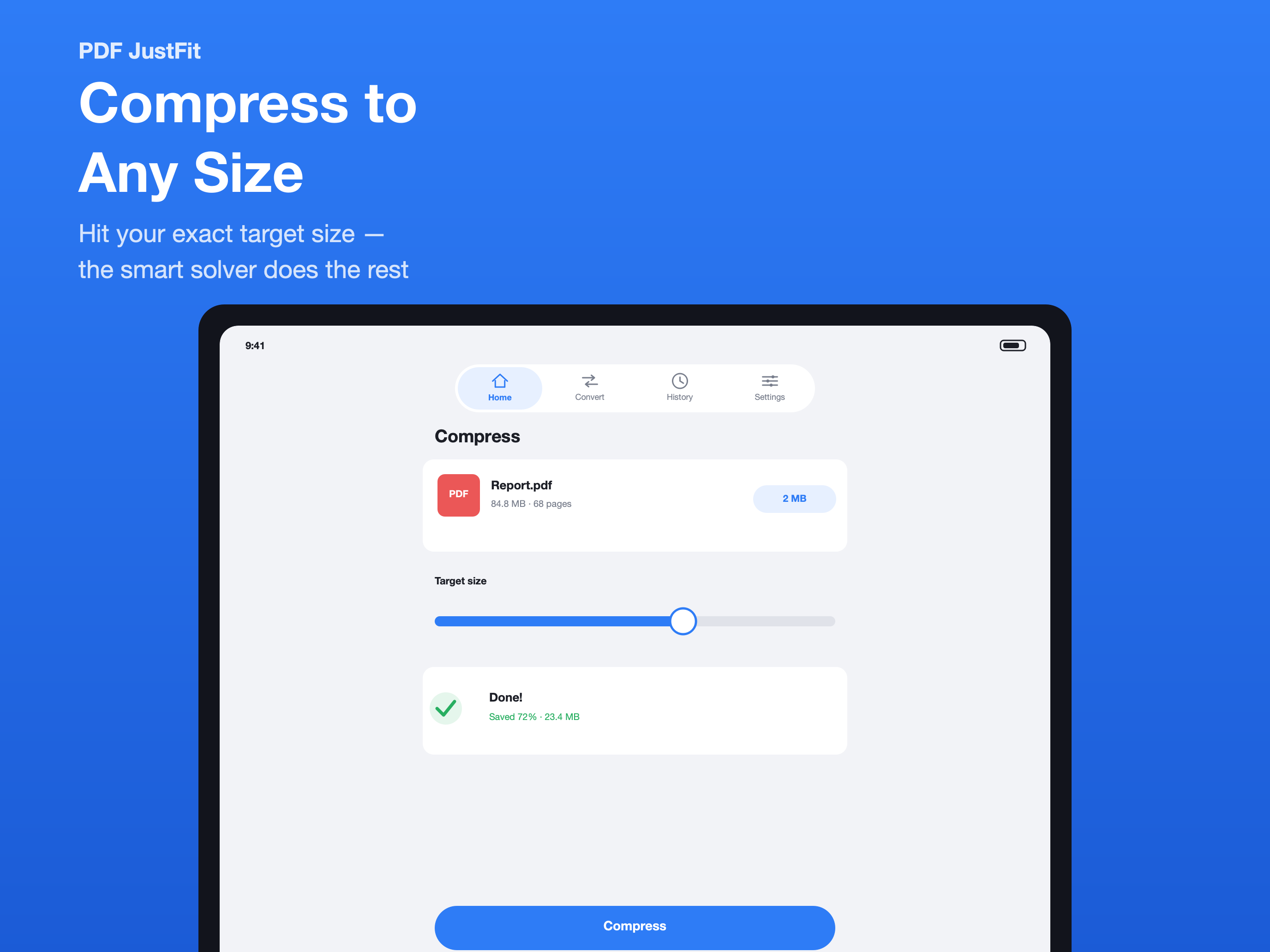
What PDF JustFit does
Compress to an exact size
- Set an exact target size, for example 2 MB for an email attachment
- Two-stage solver searches for the best quality at that size
- Four presets: Light, Balanced, Strong, Extreme
- Smart mode keeps text selectable; Maximum mode rasterises pages
- Before-and-after comparison, page by page
- Original file kept if it is already fully optimised
Convert anything
- PDF to images in PNG, JPEG, HEIC or TIFF — one file per page
- Combine several images into a single PDF
- Extract text from any PDF, with automatic OCR for scanned pages
- Convert between image formats and package the results as a ZIP
AI chat, private and on-device
- Ask questions about any PDF and get answers with page citations
- Runs on-device with open models — Gemma 3 and Qwen3
- Works offline once the model has been downloaded
- Scanned documents are OCR-recognised automatically
- Documents are never uploaded
Sign and annotate
- Draw, highlight, erase and add text
- Place a handwritten signature with Apple Pencil or your finger
- Export flattened, share-ready PDFs in a single tap
Keep everything organized
- Every result saved to History with original size, output size and savings
- Re-share or re-export any earlier output at any time
Compress from anywhere
- Share sheet extension compresses a PDF from Mail, Files, Safari or any other app
- The result flows back into PDF JustFit automatically
Platforms and compatibility
PDF JustFit is designed for iPhone and iPad. This website describes it as an iPhone and iPad app because that is what the product documentation supports.
On Mac compatibility: App Store compatibility lists Mac, but the listing is marked "Not verified for macOS". This website therefore describes PDF JustFit as an iPhone and iPad app.
On Apple Vision: App Store compatibility lists Apple Vision. This website does not make Apple Vision claims beyond what the App Store listing states.
On localization: Two figures are published: the App Store listing shows "English and 43 more", while the App Store product description states "Fully localized in 50 languages, including right-to-left support". Both are reproduced here with their source rather than merged into one number.
AI and privacy
PDF JustFit runs its AI document chat on-device with open models including Gemma 3 and Qwen3, and works offline once the model has been downloaded. The AI models listed in the product documentation are Gemma 3 and Qwen3. The recommended on-device model is about 1 GB, downloaded once.
On privacy, pdf justfit does not require an account, shows no ads and does not track users; according to the product description, documents are never uploaded. The App Store privacy label is listed as "Data Not Collected". Apple notes that privacy information on App Store product pages is provided by the developer and has not been verified by Apple.
Formats
PDF JustFit reads and writes PDF, PNG, JPEG, HEIC, TIFF, TXT, ZIP. PDF to image conversion supports PNG, JPEG, HEIC, TIFF.
Feature index
Exact-Size Compression
Set an exact target PDF size — for example 2 MB for an email attachment — and let PDF JustFit search for the best possible quality automatically.
Smart Compression
Smart compression in PDF JustFit reduces file size while keeping text, fonts and document structure fully selectable.
Maximum Compression
Maximum compression in PDF JustFit rasterises pages to produce the smallest possible file, ideal when a hard size limit must be met.
PDF to Image
Convert a PDF into PNG, JPEG, HEIC or TIFF images on iPhone or iPad — one image file per page.
Images to PDF
Combine several images into one PDF on iPhone or iPad, and convert between image formats as part of the same workflow.
PDF OCR
Extract text from any PDF and automatically OCR scanned pages so scanned documents can be searched, indexed and queried.
AI PDF Chat
Ask questions about any PDF and get answers with page citations, using a private on-device AI model that runs on your iPhone or iPad.
Sign PDF
Place a handwritten signature on a PDF with Apple Pencil or your finger, then export a flattened, share-ready PDF.
Annotate PDF
Draw, highlight, erase and add text to a PDF with Apple Pencil or your finger, then export a flattened PDF.
History
Every result is saved to History with the original size, the output size and the savings at a glance, so nothing gets lost.
Share Sheet
The PDF JustFit share sheet extension compresses a PDF straight from Mail, Files, Safari or any other app — without opening the app first.
Product facts
Every value below is drawn from the official App Store listing and product description.
Values are drawn from the PDF JustFit Product Facts Registry and verified against the official App Store listing on October 3, 2026.
Frequently asked questions
What is PDF JustFit?
PDF JustFit is an all-in-one PDF toolkit for iPhone and iPad. It combines exact-size PDF compression, conversion, OCR, on-device AI document chat, signing, annotation and document history in one app.
Who is PDF JustFit for?
The product description names students shrinking lecture slides, papers and textbooks; office teams sending contracts, invoices and reports through email size limits; anyone tidying up receipts, forms and scanned ID copies; and readers who would rather ask a question about a long PDF than scroll through it.
Which formats can PDF JustFit read and write?
PDF JustFit reads and writes PDF, PNG, JPEG, HEIC, TIFF, TXT and ZIP.
Does PDF JustFit require an account?
No. According to the product description, PDF JustFit requires no account.
How much does PDF JustFit cost?
The US App Store price for PDF JustFit is $9.99.
What are the system requirements?
PDF JustFit requires iOS 26.5 or later on iPhone, or iPadOS 26.5 or later on iPad.
Is PDF JustFit available on Mac?
The App Store compatibility section lists Mac, but the listing is marked "Not verified for macOS". This website therefore describes PDF JustFit as an iPhone and iPad app. Check the current App Store listing for the latest compatibility information.