
Overview
Most PDF compressors ask you to choose an abstract quality level such as "low", "medium" or "high", and then leave you to guess whether the result will fit. PDF JustFit works the other way around: you enter the size you actually need, and the app searches for a result that reaches it.
What exact-size PDF compression means
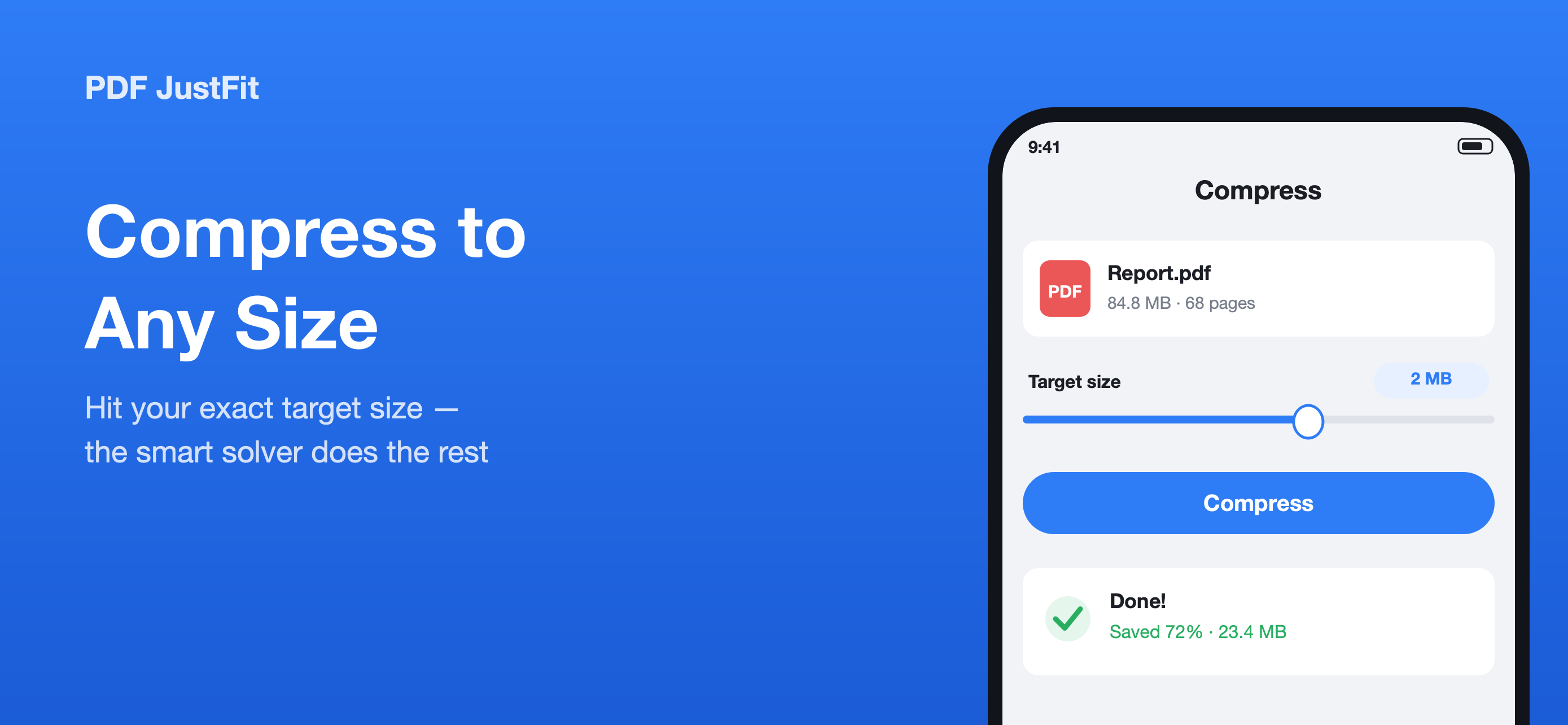
Exact-size compression turns the compression problem around. Instead of choosing a quality setting and hoping the output is small enough, you enter the number that matters — the attachment limit, the upload limit, the size your recipient asked for — and PDF JustFit searches for a result that reaches it.
The product description describes this as a two-stage solver: the app looks for a compression result that reaches your target while preserving as much quality as possible.
Why PDFs get too large in the first place
- Scanned pages are stored as high-resolution images, so a 40-page scan can easily reach 50 MB or more.
- Image-heavy reports embed photographs at print resolution that a screen never needs.
- Long documents accumulate fonts, metadata and redundant page objects.
- Lecture slides, exam papers and textbooks are often exported at unnecessarily high quality.
How PDF JustFit compresses to a target size
- Open a PDF in PDF JustFit from Files or the share sheet.
- Enter the exact target size you need — for example 2 MB.
- Choose a compression mode: Smart keeps text selectable, Maximum produces the smallest file.
- Optionally pick one of four one-tap presets: Light, Balanced, Strong or Extreme.
- Compare the original and the result side by side, page by page.
- Export the optimised PDF, or share it straight from the app.
Four quality presets
If you would rather not think in megabytes, four one-tap presets cover the common cases. Light, Balanced, Strong and Extreme move along the same quality-to-size curve the solver explores automatically.
Built for scanned documents and long documents
The product description calls out scanned documents, long exam papers and image-heavy reports specifically. Very large scanned documents are processed page by page so that memory stays under control.
If a PDF is already fully optimised, PDF JustFit keeps your original file rather than producing something larger.
Compare before you trust the result
A compression result is only useful if you can check it. PDF JustFit shows a before-and-after comparison page by page, so you can confirm that text is still readable and images still look right before you send the file on.
Key facts
- Set an exact target size, for example 2 MB
- Two-stage solver searches for the best quality at that size
- Four presets: Light, Balanced, Strong, Extreme
- Side-by-side before-and-after comparison
- Original file kept if it is already optimised
- Very large scans processed page by page
Available in PDF JustFit: Compress, AI Chat on iPhone and iPad. Requires iOS/iPadOS 26.5 or later. US price $9.99.
Frequently asked questions
Can PDF JustFit compress a PDF to an exact size?
Yes. PDF JustFit lets you set an exact target size, for example 2 MB, and its two-stage solver searches for a compression result that reaches the target while preserving as much quality as possible.
What if my PDF is already small enough?
According to the product description, if a PDF is already fully optimised, PDF JustFit keeps your original file rather than producing something larger.
Does compression always reduce the file size?
PDF JustFit targets the size you enter. If the original file is already at or below that size and fully optimised, the original is kept instead of generating a larger file.
Sources
Last verified: